
GameBanana
The Choicer Voicer Dub Packs
Browse, preview, and download The Choicer Voicer Dub Packs for Dub Mode, including timing-friendly clips from verified community sources.
Browse The Choicer Voicer Dub Packs
![Goku VS Jiren FULL FIGHT [DUB] cover](https://cdn.choicervoicergame.com/dub-packs/goku-vs-jiren-full-fight-dub-gb-708266/ca8ece1c220e0942b06d7c6316d3065d-r4/cover.webp)
GameBanana
Goku VS Jiren FULL FIGHT [DUB]
Full Fight from start to finish.
GameBanana
Barou Desperta - Blue Lock EP18 PT-BR
Barou não quer passar
GameBanana
You didn't know from Hazbin hotel
Hazbinb hotel
![Po Viene Scelto Come Guerriero Dragone [DUB ITA] cover](https://cdn.choicervoicergame.com/dub-packs/po-viene-scelto-come-guerriero-dragone-dub-ita-gb-714817/f92a327a501f25cfae186bc9980bc694-r4/cover.webp)
GameBanana
Po Viene Scelto Come Guerriero Dragone [DUB ITA]

GameBanana
Thanos Vs. Darkseid Beatbox battle (lyric dub)
Let me show you how to scratch it

GameBanana
We are The World - Full Version
GameBanana
Golden Experience Requiem (jojo)
GameBanana
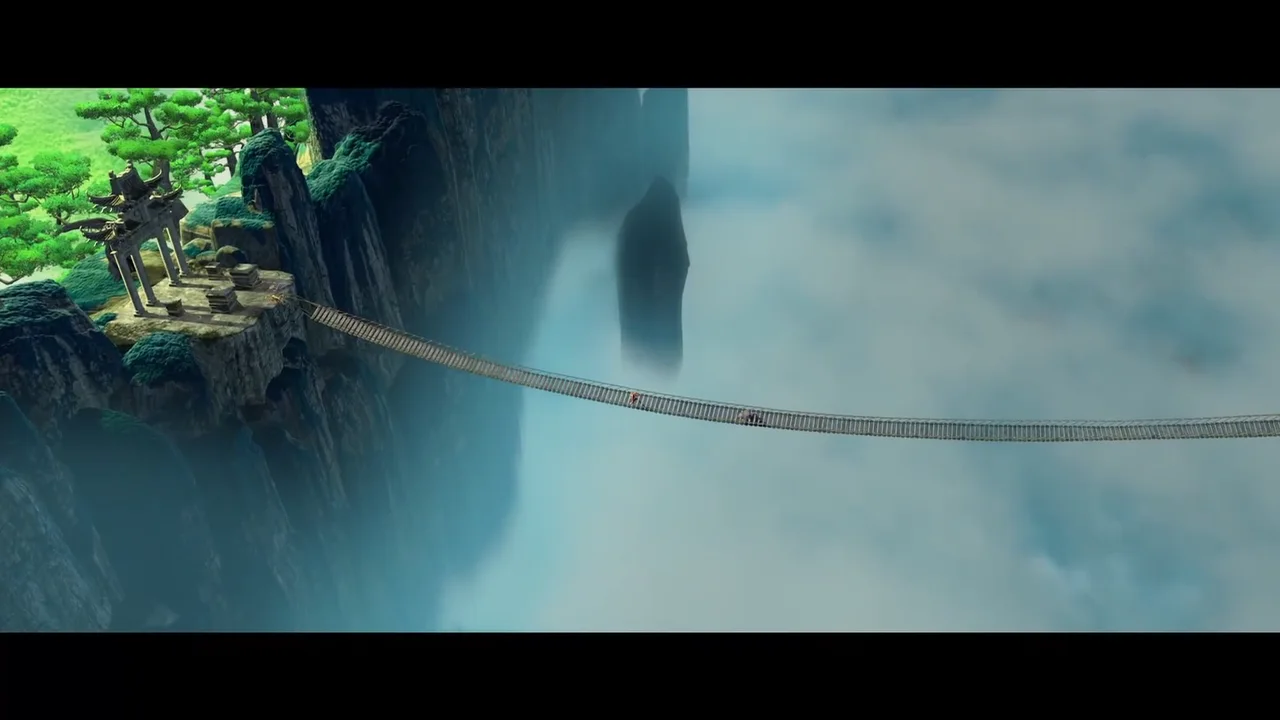
VF/FR - Kung Fu Panda - 5 Cyclones vs Tai Lung

GameBanana
Un toque de magia, La Cenicienta (Esp Lat)
Hada Madrina ayuda a Cenicienta
GameBanana
Deku, Bakugo, and Shoto Vs. Dark Might (Round one)
SMAAAAAAAAAASH!!!!
![Creeper VS Zombie - ZarcortGame [ESP] cover](https://cdn.choicervoicergame.com/dub-packs/creeper-vs-zombie-zarcortgame-esp-gb-709690/94fc53174349c4ee0f03f0a050180e77-r4/cover.webp)
GameBanana
Creeper VS Zombie - ZarcortGame [ESP]
How to Install The Choicer Voicer Dub Packs
You do not need a separate installer for The Choicer Voicer Dub Packs. Download a ZIP from the browser above, extract the archive, and move the complete pack folder into the game’s packs_voice directory.
- Download Choicer Voicer Dub PacksPreview the full scene before downloading it. If it is the pack you want, select Download on the same card and leave the ZIP intact until the transfer is complete.
- Extract the ZIPOpen the ZIP and extract the complete pack folder. Keep the audio, video, images, and timing metadata together because Dub Mode needs all of them.
- Open packs_voiceTo install Choicer Voicer Dub Packs, open Modpack Guides from The Choicer Voicer main menu, select Dub Mode Packs, and choose Open Folder. Move the extracted pack folder into packs_voice without changing its internal files.
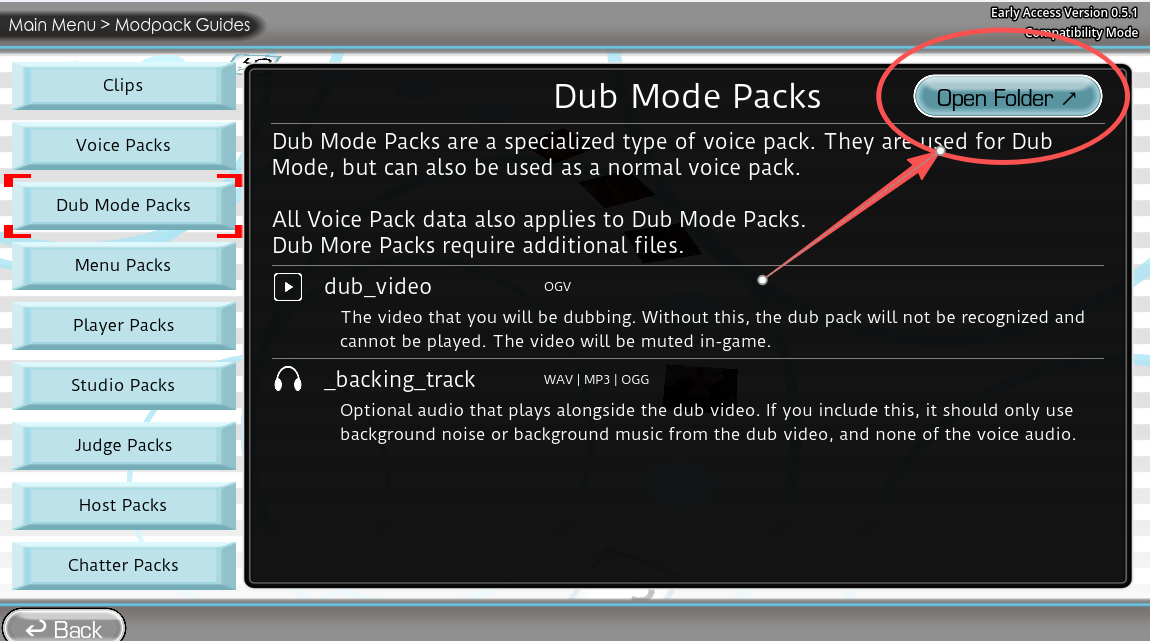
Open Modpack Guides, select Dub Mode Packs, and choose Open Folder. 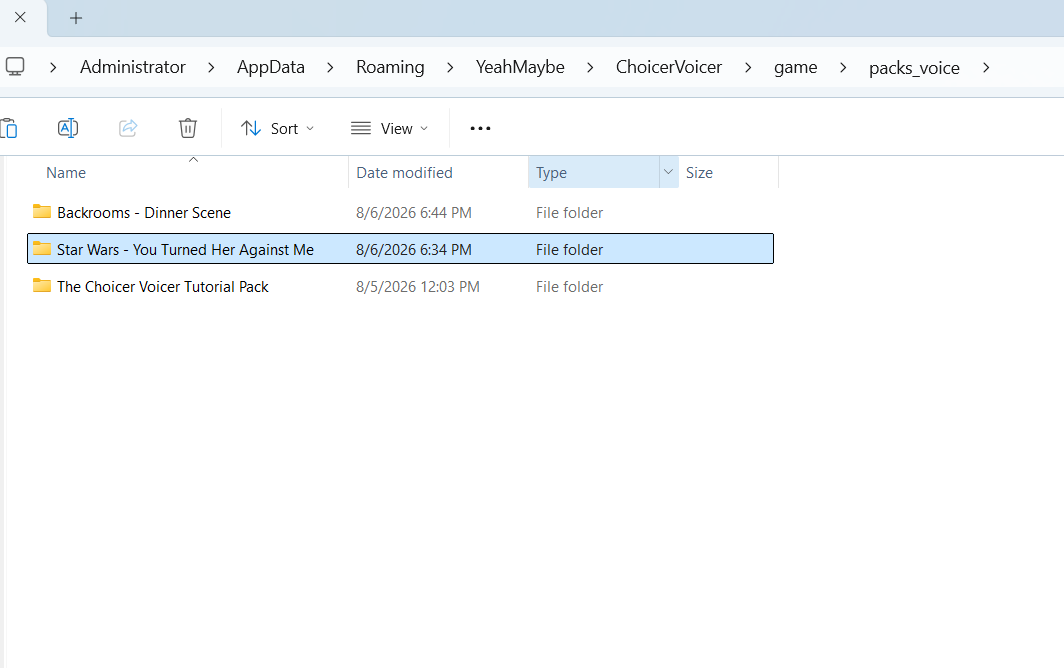
Place the extracted pack folder directly inside packs_voice. - Load the packRestart the game or reload the pack list, then open Dub Mode and select the new title. Its timed lines and character choices should appear with the scene.
Installation Checklist for Choicer Voicer Dub Packs
- The ZIP extracts into one complete pack folder.
- dub_video.ogv stays inside that folder.
- Every numbered audio clip has a matching .ini file.
- The complete pack folder sits directly inside packs_voice.
If one of your Choicer Voicer Dub Packs does not appear, look for an extra folder level such as packs_voice/Pack Name/Pack Name/files. If the scene opens with a missing line, download the archive again and check that every numbered clip still has its matching metadata file.
How to Create Custom The Choicer Voicer Dub Packs
To create custom The Choicer Voicer Dub Packs, start with one short video scene. Split its dialogue into individual audio clips, then describe each line in a small INI file. A short scene makes the timing and filenames easier to test.
- Choose and prepare the sceneWhen creating Choicer Voicer Dub Packs, choose a scene you have permission to edit and share. Export it as dub_video.ogv and note the exact start time of each line. Short scenes take less time to test and are easier for players to perform.
- Create each dialogue clipExport each spoken line as its own audio file. Give the audio and INI file the same filename stem, such as 01_clip.ogg and 01_clip.ini. You can add a matching PNG for the character image shown with that line.
- Add timing and character metadataWrite the caption, start time in seconds, and character name in each clip INI. Set dub_timestamps to the matching moment in dub_video.ogv.
- Add pack details to Choicer Voicer Dub PacksCreate _pack_info.ini with a clear title, the icon filename, and the creator’s name. Credit every collaborator accurately. If you adapt a community pack, keep the original author in the credits.
- Test before sharingPut the unfinished folder in packs_voice and play every line in Dub Mode. Check each caption, character, image, and start time. Once the full scene works, ZIP the pack folder itself.
Folder Structure for Choicer Voicer Dub Packs
My Dub Pack/
├── _pack_info.ini
├── dub_video.ogv
├── 01_clip.ogg
├── 01_clip.ini
├── 01_clip.png
└── _backing_track.ogg  (optional)
Pack metadata: _pack_info.ini
[data]

title="My Dub Pack"
icon="01_clip.png"
authors=["Creator Name"]
Clip metadata: 01_clip.ini
[data]

caption="The line shown to the player."
dub_timestamps=[12.300]
dub_characters=["Character Name"]
Use the optional _backing_track.ogg when you want to keep music or ambience under the player’s recording. Before publishing your Choicer Voicer Dub Packs, remove media you do not own, preserve the creator credit, label mature material clearly, and confirm that the final ZIP opens to a single pack folder.
What Are The Choicer Voicer Dub Packs?
The Choicer Voicer Dub Packs are scene folders made for the game’s Dub Mode. They are not separate games or installers. Each pack contains a reference video, timed dialogue clips, captions, character data, and optional images or backing audio.
During play, the game uses this metadata to place each line at the correct point in the scene. Players choose characters, record their own voices, and perform against the supplied video. A complete pack needs all of these parts, not a collection of unrelated sound files.
Finding and Choosing Choicer Voicer Dub Packs
Use the search box above to find Choicer Voicer Dub Packs by title, creator, or tag. Use the language filter to narrow the catalog by spoken language. A search for Backrooms, Obsession, JJK, anime, or meme returns a card only when that pack is currently listed on this page.
Every community card for Choicer Voicer Dub Packs displays the verified creator name. Previewing or downloading a mirrored pack does not change who made it. Before downloading, check the clip count, file size, source badge, and NSFW label. Mature packs stay marked so you can decide whether to open the preview.
The Choicer Voicer Dub Packs FAQ
- Are Choicer Voicer Dub Packs free to download?
- Yes. Every pack currently listed on this page is available without an extra pack fee. You may still need the base game to use all Dub Mode features.
- Can I use Choicer Voicer Dub Packs in the demo?
- The No Gameplay Demo is mainly for compatibility testing, and pack support depends on the installed build. The paid game is the more reliable option for loading and playing complete packs.
- Why do Choicer Voicer Dub Packs not appear in Dub Mode?
- Place the extracted folder directly inside packs_voice and remove any unnecessary wrapper folder. Check that _pack_info.ini and dub_video.ogv are in the same pack folder, then restart the game or reload the pack list.
- Why does a Pack preview or scene have no sound?
- Some source videos contain only picture because the player supplies the dialogue. Other packs include a separate backing track, while some remain silent until you record. If the clip audio is supposed to be present, download the ZIP again and check its files.
- Can I add my own custom Pack?
- Yes. Follow the creation guide above, give each audio and INI file the same filename stem, and test every timestamp locally. Share only media you have permission to distribute.
- Where can I find Backrooms, Obsession, or JJK Choicer Voicer Dub Packs?
- Search for those terms in the browser above. If no card appears after filtering, that theme is not currently listed. The page only shows a download after its source and creator have been verified.