
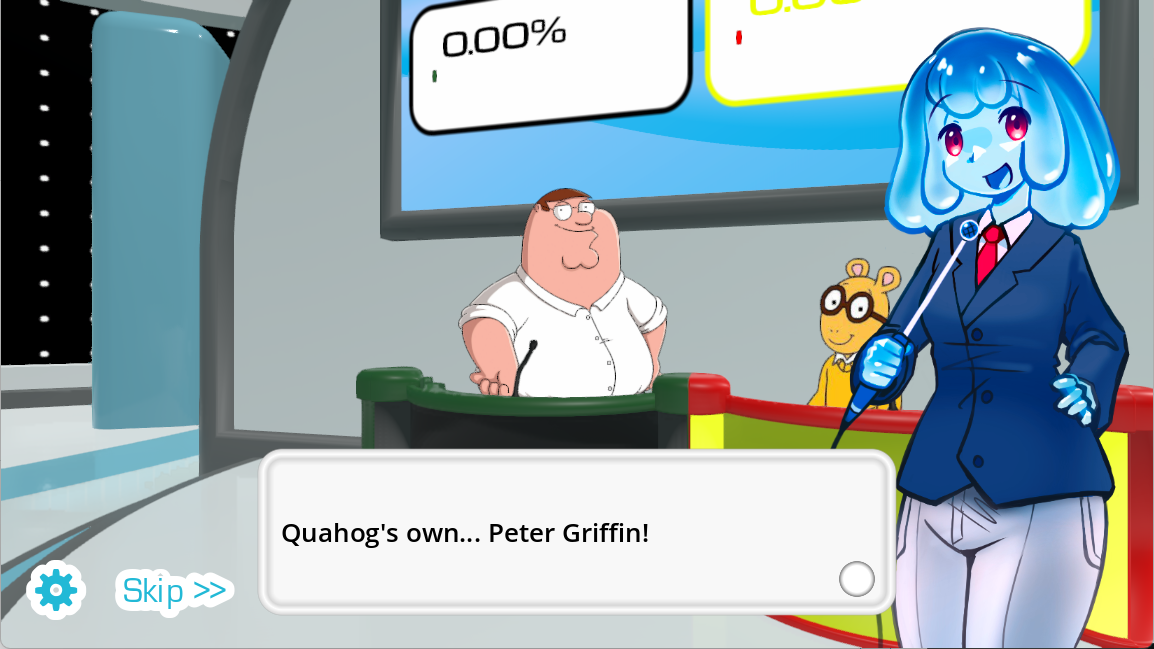
This voice over game is called The Choicer Voicer
This voice over game is called The Choicer Voicer. YeahMaybe created the original desktop release and publishes it on itch.io. It turns recording into a game-show round: you hear the material, perform it yourself, and get the payoff when your take comes back through the voice over game.
Choose the version that fits what you want to do next. The itch.io release gives you the original desktop voice over game, including its local game-show setup and Dub Mode. The browser version on this site is a quick way to record a scene online for free, without a download. Both links are here, so you can go straight to the version you want.
How to play the voice over game online
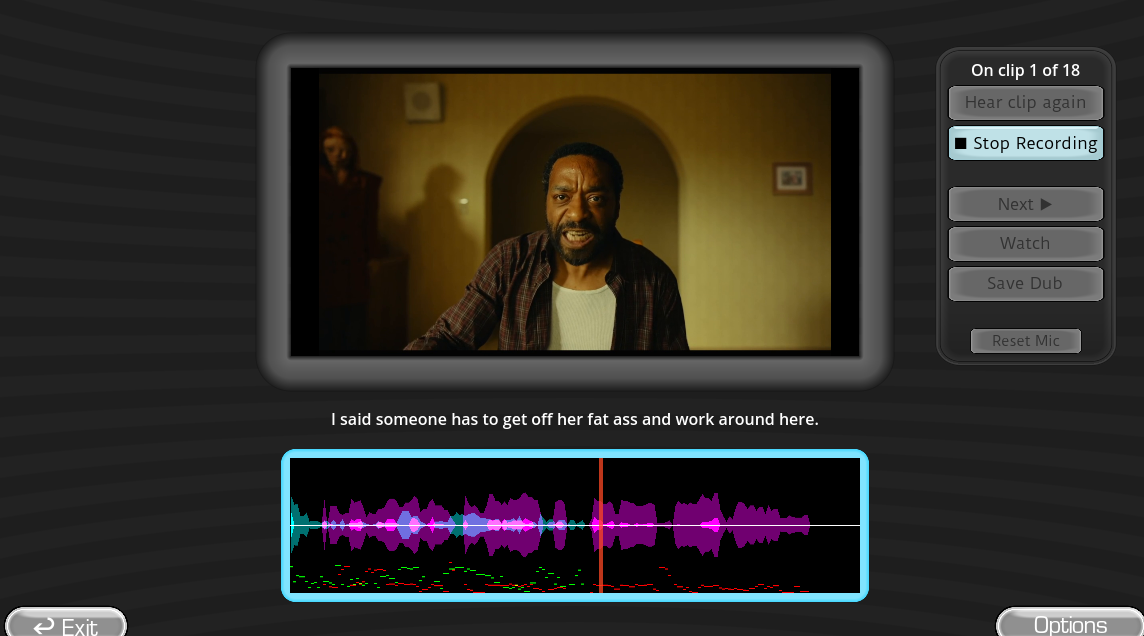
The browser voiceover game keeps setup short. Open the voice over game, choose a scene, and allow microphone access when the browser asks. The dubbing game online does not need a desktop installation or a separate recording project.
- Choose a short voice over game scene for an easier first take.
- Listen for the speaker's first word and the next cut.
- Record the voice over game line as a close imitation or give the character a new voice.
- Retry if the timing slips. The voice over game replaces the take before playback.
- Use the dubbing game online to watch the finished voice over game scene and download the result.
A voiceover game is easier when you fix one problem at a time. Treat the performance as a voice acting game, but correct a late start before changing the character. When you play the dubbing game online, the voice dub game puts each new take back into the scene so you can judge it against the video.
What can you do in this voice over game?
In The Choicer Voicer, each voice over game round begins with a reference clip. Listen for the words, pace, and mood before the microphone opens, then decide what kind of performance you want to give. You can copy the original delivery, change the character, or turn a serious moment into a joke. That freedom is what makes a voiceover game interesting: the prompt stays the same, but the result depends on your voice.
In a voice dub game, Dub Mode does not force you to keep the first recording. If a line begins too late, ends too slowly, or simply does not sound right, record it again before the completed scene plays. This voice over game gives you enough control to improve a take without turning the process into a complicated editing project.
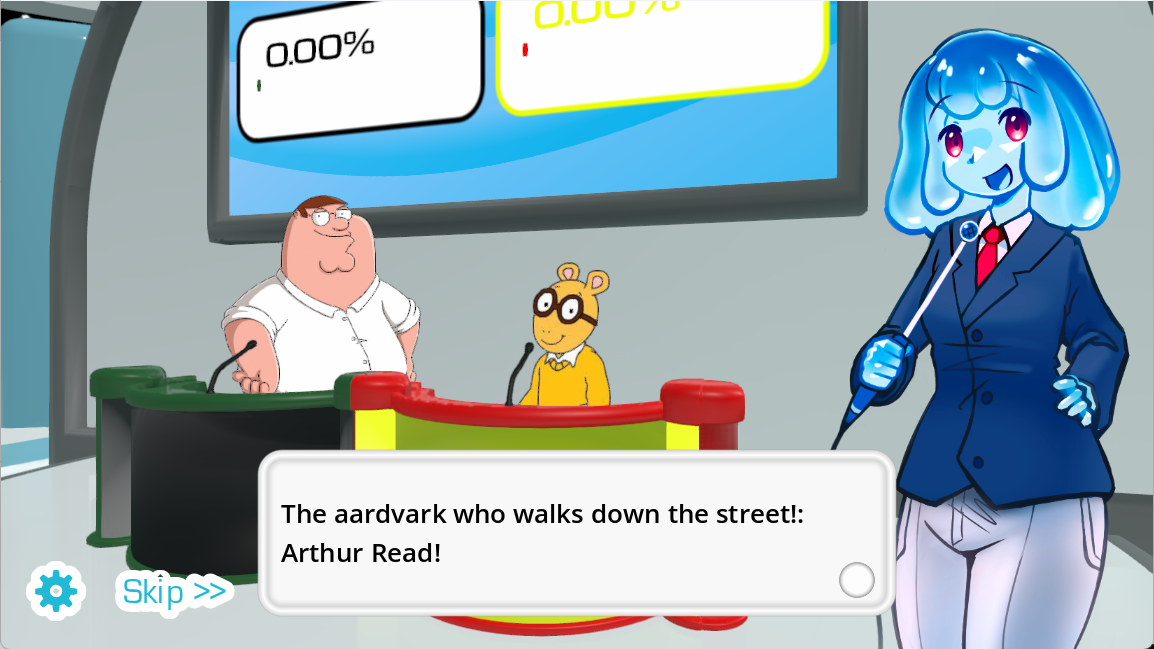
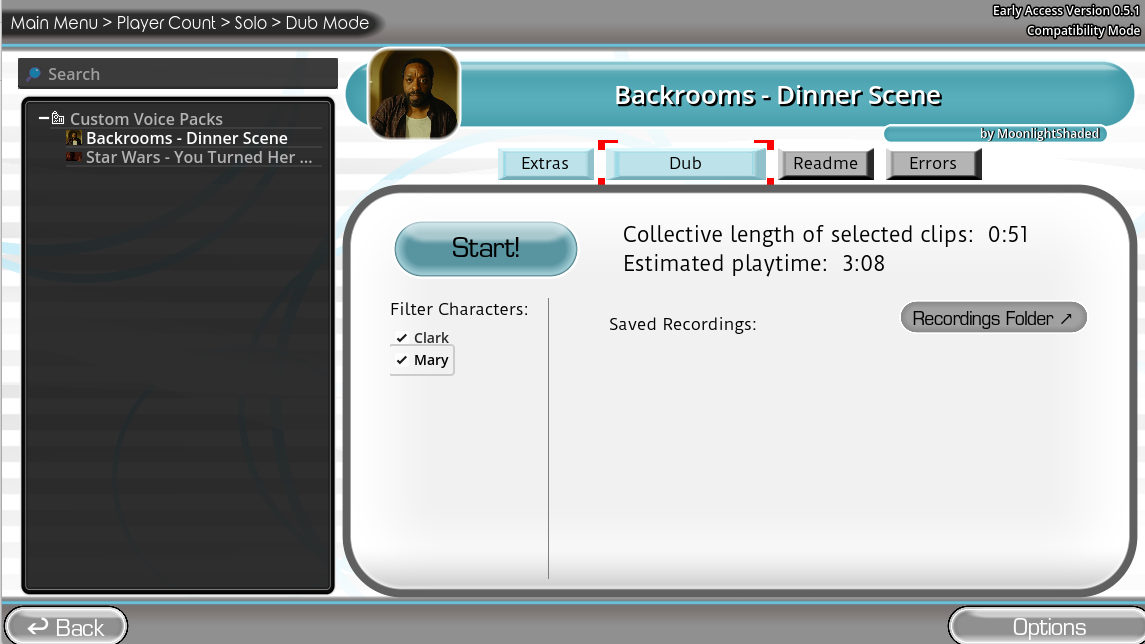
The desktop release uses those performances in two different ways. In the main game-show mode, each voice acting game round ends with the judging panel scoring your take. In Dub Mode, the voice dubbing game places your recordings back into a timed scene and saves the complete playback for the end. A short dub game can be one quick impression, while a longer scene asks you to keep the same character across several lines. The voice over game supports both styles without taking you out of The Choicer Voicer.
Choose a voice for each voice acting game scene
Start each voiceover game scene by deciding whether you want to match the reference or change it. A voice acting game can be a close impression, but it can also be a chance to invent a new character. A slower pace, a softer voice, or a sharper reaction can change how the same picture feels.
For a short voice dub game, choose one clear idea and commit to it for the whole line. A longer voice dubbing game asks you to keep the character steady across several exchanges. If the scene has several speakers, treat it like a movie dubbing game: listen for the handoff between lines and leave space for the next voice dubbing game take.
When you play the dubbing game online, record one version that follows the reference and another that changes the delivery. Comparing both versions turns the retry into part of the voice acting game. The voice dub game makes small timing changes easy to hear, while the voice dubbing game shows whether the performance still works across the full movie dubbing game scene. Keep the version that makes the movie dubbing game playback feel most connected to the picture.
There is no single correct voice. The voice dub game works when the timing is clear and the choice feels deliberate.
Record movie scenes in a voice over game
A video scene gives a voiceover game more information than a line on its own. Watch when the speaker opens their mouth, how other characters react, and where the picture cuts. In a voice over game, those details tell you when to start and how much time the line can use. A voice over scenes game becomes easier once you stop watching only the speaker and start following the whole scene.
In a voiceover game, the completed playback is where the timing becomes obvious. Dub Mode keeps each take separate while you record, then joins everything at the end. In a movie voice over game, a line that felt right at the microphone may sound late when it returns to the picture. A movie dubbing game therefore depends as much on the cut as the mouth movement. Leave a little room after the final word so the next speaker has somewhere to begin.
You may also know this format as a game where you voice over clips. In a voice dub game, the important part is seeing your recording land inside the video rather than hearing it by itself. Each voice over game pack provides its own scenes, speakers, and timing, so the material changes with the pack you install or select. Before adding a community upload, check the creator and source shown on its pack page.
Play a voice over game with friends
Share one microphone and screen, then give each person a role. One friend might try a close impression while another gives the character a completely different voice. That contrast is what makes a voiceover game with friends work. You can run it as a simple voice acting game with one character per player, or let everyone change their delivery from round to round. Each voice over game begins with the same prompt, but the performances rarely sound alike.
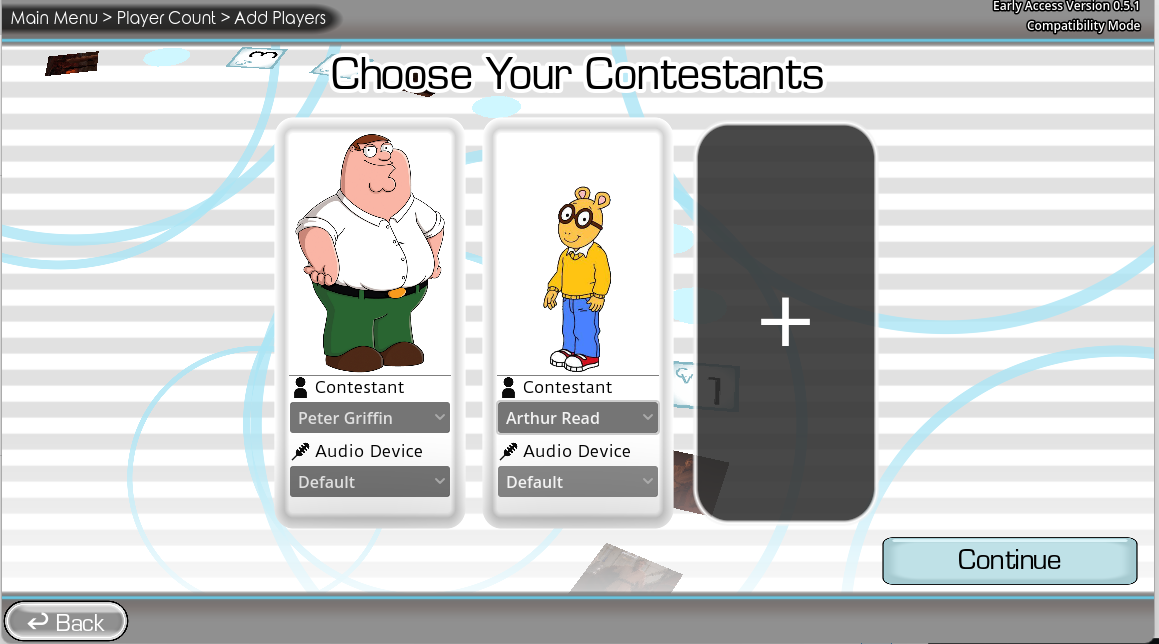
The original itch.io game supports one to four local players on the same device. Contestants record in turn and the judging panel scores the takes. It is local play, not online multiplayer, so plan to gather around one computer. Once the first voice over game result plays back, the group can follow the voice over game round without a long rules explanation.
For a fair contest, keep the same pack or performance style for every player. For a more relaxed party round, assign each person a character and encourage them to commit to it. This turns the session into one of those games to voice act with your friends where the shared reveal matters more than the score. The biggest laughs usually come when nobody hears the other recordings until the completed scene plays.
Add more scenes to your voice over game
A voiceover game can feel completely different when you change the pack. Voice Packs provide reference clips for each voiceover game round in the main game-show format, while Dub Packs give the voice dubbing game timed video scenes for Dub Mode. A new pack can give the voice over game a different cast, pace, and tone without changing the listen-and-record controls you already understand.
The community library on this site shows which Dub Packs are available and where they came from. Open a voice over game pack page to check its creator and source before adding it to the desktop release. A short pack can make the voice dubbing game feel like a quick dub game, while longer material can turn it into a movie dubbing game with several connected lines.
Start with a short movie dubbing game scene while you learn the timing, then move to packs with longer exchanges or more speakers. This gives you one manageable challenge at a time instead of a wall of unfamiliar dialogue. Your voice over game grows with the material you choose, and you can return to a favorite scene whenever you want to try another performance.
Get better results from your voice over game
In a voice dub game, listen once for the words and once for the gaps around them. The breath before a sentence often tells you more about the start time than the first word does. You can copy the pace exactly or make a deliberate change, but knowing the original rhythm gives your voice over game take a clean place to begin and end.
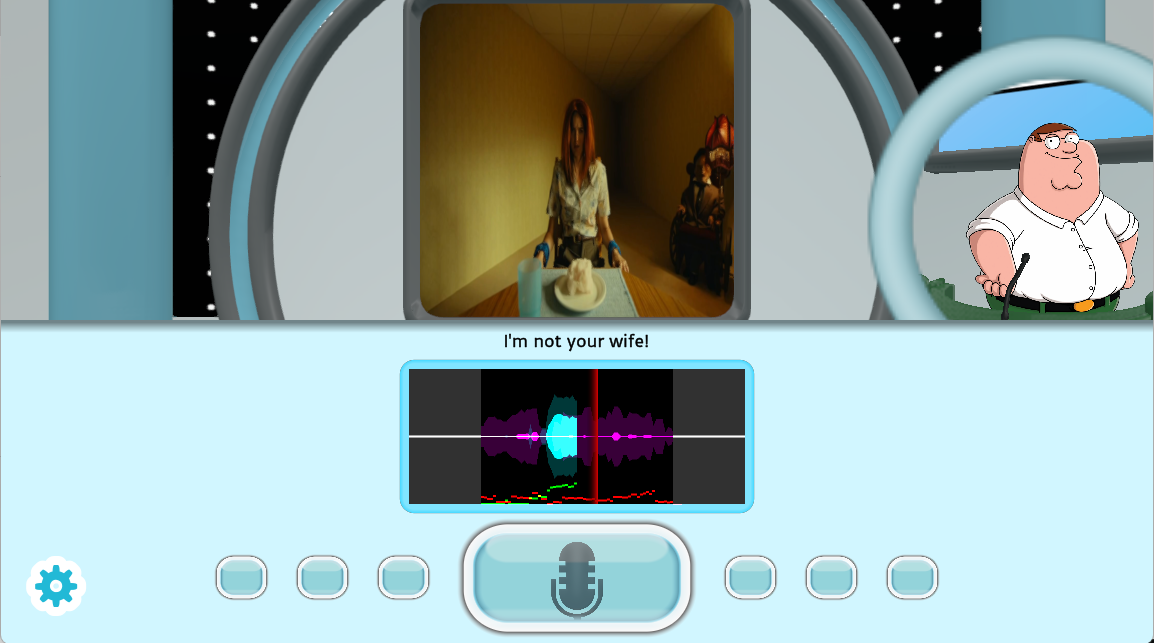
A voiceover game sounds more consistent when the microphone stays at roughly the same distance for every voice dubbing game line. This matters whether you use the dubbing game online or record in the desktop release. If breath sounds hit too hard, turn slightly and speak across the microphone. If the waveform looks very small, move closer. If the sound breaks up or feels harsh, step back. A quiet room helps, but you do not need studio equipment to make a clear voice over game recording.
On a retry, fix one thing. Correct the start first, then the ending, and only then adjust the character voice. This keeps a voice acting game fun instead of turning each line into an endless recording session. Play the take in context before deciding whether it works. A slightly imperfect line can be the best choice when it fits the scene and works in the final voice over game playback.
Voice over game questions
Can I play this dubbing game online for free?
Yes. This dubbing game online needs no installation. Open the voice over game, allow microphone access, choose a scene, and start recording.
Is this a voice over movies game?
It uses video scenes rather than audio prompts alone. Each movie voice over game take plays back with the picture, so you can judge the timing and performance together. That is the basic movie dubbing game loop.
Can I use it as a voice over movie scenes game?
Yes. It works as a voice over scenes game with timing taken from the video. That gives it the same basic format as a movie dubbing game or a game where you voice over clips.
Can I retry a line before watching the scene?
Yes. The voice dub game lets you replace a take before the completed voice over game scene plays.
Do I have to copy the original voice?
No. A voice acting game can follow the reference closely or use a completely new character voice. In either style, the voice acting game works best when your timing still fits the scene.
Can I download the finished dub?
Yes. After the voice dubbing game assembles your recordings, the dubbing game online lets you watch and download the finished scene.
Can I play the voice over game with friends?
For a voice acting game with friends, share the browser voiceover game around one microphone. The original desktop release provides the formal multiplayer setup and supports one to four local players on the same device.